Progress
Tickets and their status, updated from our tracking tool several times an hour during the day.
Method · From request to delivery
A ticket, a documentation page, time logged against it, a dated delivery. Our tools are connected by the ticket key, and you see what concerns you in your project space. AI prepares, a human validates.
§ 01 / The thread of a ticket
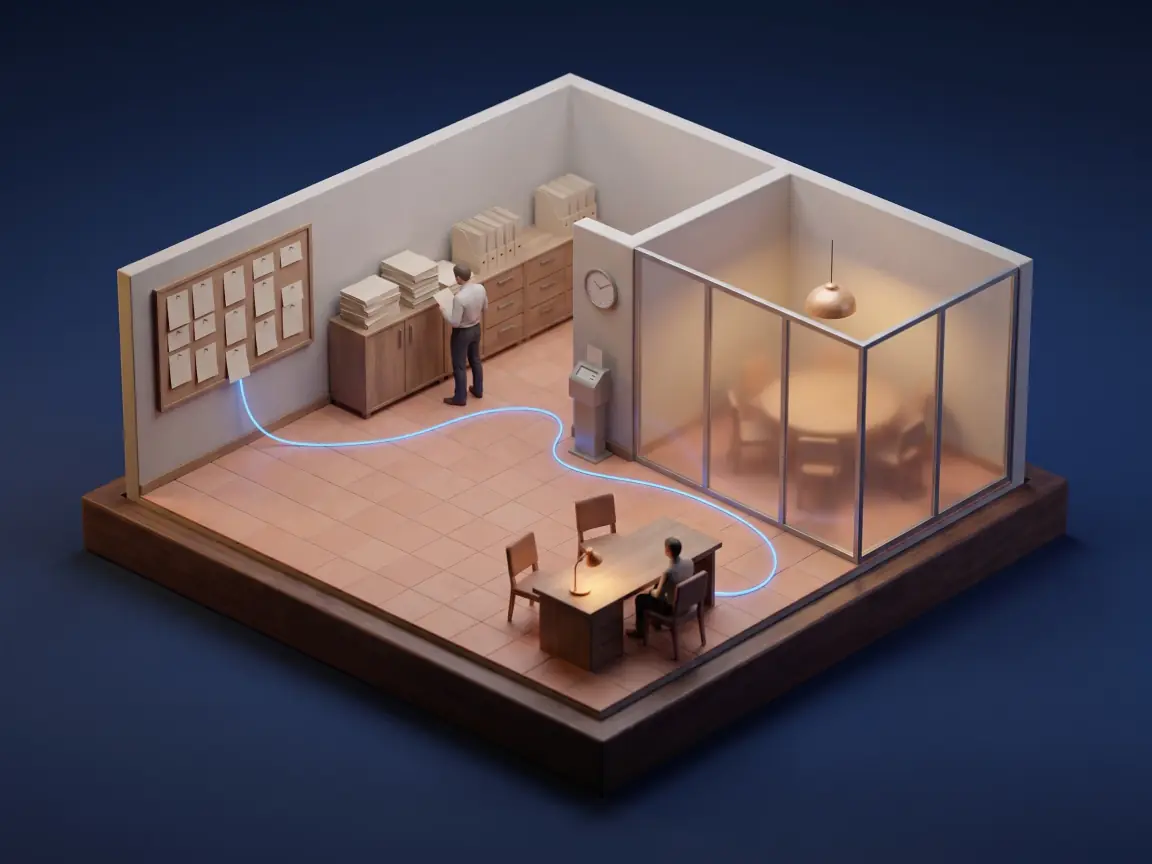
The ticket key appears in the documentation page, in the code branch, in the time logged and in the version delivered. It is what lets everyone find everything, us and you alike.
Illustrative example · key PRJ-142
§ 02 / One tool, one role
We do not add tools for the sake of it: each one has a precise place in the thread.
| Tool | Its role with us | What you see of it |
|---|---|---|
| Jira | Tickets, their statuses and the versions delivered. Each request gets its key here. | The progress and status of each ticket, in your project space. |
| Confluence | One page per ticket: analysis, technical appendix, guide and acceptance test plan. One page per release. | A summary of the documentation of each ticket. |
| app.sooatek.com | Our platform: your project space, our scoping pages, the delivery sign-off reports. | Everything that concerns you, in one place, synchronized with our tickets. |
| Google Chat | For each project, an internal space and a steering space shared with you. | Replies reviewed internally before they are sent, approvals confirmed in writing. |
| Gmail, Google Calendar, Google Meet, Google Drive | Formal exchanges, meetings, video calls, documents and release procedures. | Invitations, meeting minutes and shared documents. |
| GitHub | The code, one branch per ticket, tagged versions before any production release. | The code, in your Git repository, from day one. |
| Claude and Claude Code | Assistance with analysis, development, checks and writing. | Code and messages are reviewed by a human before they reach you. The documentation summary and the progress review in your space are generated automatically. |
Jira, Confluence, Clockify, Google Workspace, GitHub, Claude, OpenAI, Gemini are trademarks of their respective owners. Sooatek uses these tools or models; no partnership or certification is claimed.
§ 03 / The path of a request
The steps below follow the statuses of our web project workflow. A request only moves to development after your approval.
We read the need and the existing code, then we write down what we understood.
A scope, an estimate, the exclusions.
The ticket waits for your approval. Without it, nothing starts.
The effects on the application are listed before the first line is written.
The review checks access rights by running the application, not only by reading the code.
A dated release in pre-production, then in production, with its sign-off report.
A fix In progress Tests In review Resolved Done
§ 04 / Your project space
Your space on app.sooatek.com is synchronized with our tickets. You follow progress there, you report acceptance testing issues there, and you find the deliveries there.
Tickets and their status, updated from our tracking tool several times an hour during the day.
Development, pre-production or production: you know when to test again.
You report an issue with screenshots; it goes straight into our triage queue.
Questions, answers and attachments stay with the task, not scattered across emails.
Each release has its sign-off report, downloadable as a PDF.
A written review every week: what is moving, what is resolved, what is waiting, what comes next.
Illustrative example · fictional data
You only see the projects of your organization. Internal technical discussions and estimates in hours stay internal.
For agency partners: the space currently carries the Sooatek brand. As it stands, it is therefore not meant for your end client.
§ 05 / Where AI comes in
AI saves us time on reading, writing and checks. Decisions stay human: scope, merge, production release.
| Step | What AI does | What stays human |
|---|---|---|
| Intake | Spots requests in emails, chat and tickets; prepares a reply and a follow-up. | Each message sent is validated by a person, with a delay to cancel. |
| Analysis | Reads the code without changing it, lists the effects of a request. | Scope and permissions are decided by the project manager, or by you. |
| Development | Writes and checks the code block by block. | Access control and code hygiene checks are mandatory for each block; review before merge. |
| Parallel tasks | One session per ticket, which pushes its branch and reports in the ticket. | No automatic merge or release: a principal merges the code personally. |
| Your space | Structures an issue report, summarizes the documentation, writes the progress review. | You validate your issue report before it is sent. The summary and the progress review are generated automatically; the review is enabled project by project. |
Claude (Anthropic)
Our main tool. Claude Code for analysis, development and reviews; the Claude API in the project space, for the three aids described above.
OpenAI
Whisper, an open model from OpenAI, was the basis of our first Malagasy speech recognition version; the model published today is built on w2v-BERT 2.0. ChatGPT and Codex have been tried internally. See the case study
Gemini (Google)
Google Meet note-taking produces some of the meeting minutes. The illustrations on this site are generated with a Gemini image model, then selected and cropped by us.
§ 06 / Your data
The rules that apply to our tools, to our assistant and to your project space.
Read-only by default
Our in-house assistant reads without changing anything; write access is opened one action at a time.
Secrets masked
Passwords and keys are masked in drafts and attachments.
Sensitive projects: our assistant sorts locally
For projects with sensitive data, emails and messages are sorted on our own hardware by our in-house assistant: they are not sent to an external AI service.
Separation
You only see the projects of your organization.
Pages shared by unguessable link
Scoping pages and sign-off reports are not public.
Main providers. Exact locations and the full list of subprocessors are set out in the data processing agreement (Article 28).
§ 07 / Routines
Fixed meetings, so that nothing depends on someone’s memory.
§ 08 / Questions
It assists with analysis, writing and checks. A human reviews before any production release, and no merge is automatic.
Each release is a dated version; we notify you before the production release. Your project space shows whether a fix is in development, in pre-production or in production.
No. You follow your project in your project space, by email or in a shared chat space. You do not need a subscription with any of our vendors.
You see the progress of tickets and a summary of their documentation in your project space, without having to navigate our tools.
We never train a model on your data without your written consent. On your projects, our AI tools go through business plans: Anthropic’s (API and the Claude Code coding assistant) and Google Workspace for meeting notes; their commercial terms exclude using your data to train their models. For sensitive data, sorting happens on our own hardware, with a local model. The list of tools used on your project is given to you in writing.
Not today: the project space carries the Sooatek brand. Your deliverables and your client remain yours, and the channel rule applies.
A 30-minute scoping call: we show you how your request would be tracked, from the first question to delivery.
With your consent, we measure the site’s audience with Google Analytics, in anonymised form. The data is sent to Google, including outside the European Union. Learn more